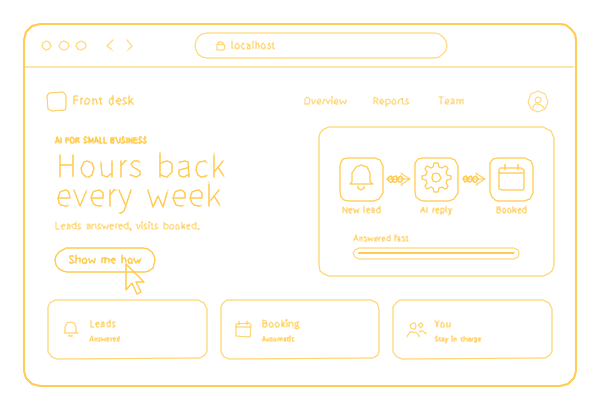
The article
Friday afternoon, and someone in your business, often you, is copying numbers from emails into a spreadsheet, chasing an unpaid invoice or calling back the people who rang while everyone was busy. None of it needs your judgment, and all of it takes your week. AI automation for small businesses starts with one routine like that, not with a strategy or a new platform.
I have been building software for 18 years; my company, 26 Lines of Code, has 70+ specialists and has delivered 150+ projects since 2017. Below: the routines worth handing to AI first, a sheet for counting the hours before anyone builds anything, what should stay with you, and what it costs.
AI automation for small businesses: the short version
- Where it starts: one routine that costs you hours every week.
- Where it works: your email, calendar, CRM, accounting software and website, so there is no new software to learn.
- Who decides: you. What matters waits for your approval.
- What you see: everything the automation did.
- Who looks after it: we set it up, connect it to your tools and look after it; nobody on your team has to be technical.
- Price: estimated after a short call about the task and your tools; the call and the rough estimate are free.
Five routines to hand over first
- Inquiries answered on your site and by phone, day and night. A chat on your site answers the questions you answer every day, and a voice agent picks up the calls you miss. Anything unusual comes to you with the conversation attached.
- Appointments booked into your calendar. The customer picks a free slot in the chat or on the phone, and it appears in the calendar you already use.
- Invoices sent and chased on time. The invoice goes out when the job is done, and the reminder follows when it is late, politely and in your words.
- Receipts and forms entered into your books. A photo of a receipt or a filled-in form becomes a line in your accounting software; the doubtful ones wait for you.
- Replies to reviews drafted in your voice, for you to approve. You read, edit if needed and publish. Nothing goes out without you.
That is how we approach AI automation services for small businesses: each item is one automation, small enough to check and useful enough to notice by the end of the week.
Count the hours before anyone builds anything
Before you talk to anyone, us included, spend one ordinary week writing down the routine work. A sheet of paper is enough, and it keeps you from automating the wrong thing. Hours a week = times a week x minutes each / 60.
| Task | Times a week | Minutes each | Hours a week | Same steps every time? | What a mistake costs |
|---|---|---|---|---|---|
| Example: booking calls | 25 | 6 | 2.5 | Yes | A double booking |
The example row is made up; fill in yours. Then score each task on four questions. The best first candidate gets four yeses:
- Is it frequent? Every day or every week, not every quarter.
- Are the steps the same? You could write them on one page for a new employee.
- Is a mistake cheap? A wrong result is annoying rather than costly, or a person checks it before it matters.
- Is the input already digital? It arrives as an email, a form, a call or a photo, not as a chat in the hallway.
A task with four yeses and three hours a week beats an impressive one that happens twice a month.
One automation, then the next
We start with the task that takes most of your week, measure the hours it frees and only then suggest the next one. There is no big project and no new software to learn.
Starting small has three practical reasons. You learn to trust the automation on work you can check. The hours it saves are measured, not promised. And if a task turns out not to be worth it, you have lost one small build, not a year.
What to have ready for the first call
You do not need a technical brief. Five things make the call useful and the estimate accurate:
- The task in your words, and the hours your count gave it.
- The tools it touches: which email, calendar, CRM or accounting software, and who has the admin login.
- Real examples: the questions customers ask, a few past invoices and reminders, the review replies you are proud of, so the drafts sound like you.
- Your rules: which slots can be booked, when a reminder goes out, what counts as unusual.
- The person who approves, and how quickly they can.
What should stay with you
An automation handles the routine; you approve what matters and handle what is unusual. Keep these with a person:
- Unhappy customers and complaints: a draft can help, but the reply should be yours.
- Refunds, discounts and exceptions to your own rules.
- Quotes for unusual jobs.
- Anything you would not let a new employee do alone in their first days.
More tools, or the tools you already pay for
Most advice online answers this question with a shopping list. In October 2026 I read the three guides Google ranks first for this search: between them they name more than 30 tools, and one has a table of 15 tools and their prices. None of the three says what happens to your customers' messages once a tool sends them to an AI model. Three guides are a small sample, but that is the question I would ask before adding any tool. A second one is cheaper to answer: before any tool reads your email, check that every account has two-factor sign-in, which is where cybersecurity for a small business starts.
We build the automation into what you already pay for: email, calendar, your CRM, your accounting software and your website. You can see everything it did. Which model reads your customers' data, and where it runs, is agreed before we build: a hosted model from one of the major providers, or one on your own infrastructure when the data cannot leave.
If one ready tool connects two of your apps and you enjoy setting it up, do it yourself; you do not need us for that. An AI automation agency for small businesses earns its fee when the routine spans several tools, reads messy text or answers calls, or when you want someone to call when it breaks.
What it costs
We price each automation after a short call about the task and your tools. The call and the rough estimate cost nothing, and the price is in the contract before work starts. Get two numbers from whoever quotes you, us included: the cost to build it and the cost to run it each month, because model fees and subscriptions keep coming after launch. Then compare the second number with the hours you counted.
Sometimes the answer is not AI at all. If what you need is a booking form on your website rather than an assistant that books by chat or phone, that is a website feature: online booking adds $500 to our website, which starts at $499. Sites for service businesses have their own page.
Where to go next
The full picture of what we automate is on AI automation, and everything else we build with AI is under AI development. If the software itself needs looking after, the website, the apps and the integrations between your tools, that is small business IT support. Customer questions answered around the clock are AI chatbot development; for calls, see the 24/7 voice agent we built for a call center in the UAE. Name the task that eats your week, and we reply with how we would automate it and a rough estimate, free.
