
The article
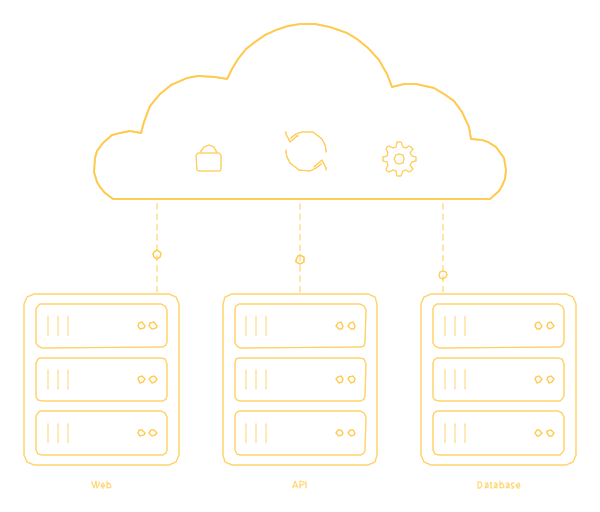
Does your cloud account look like this? A developer opened it for the first version of your software, someone added a database, a contractor set up backups, and today the business runs on a setup nobody fully understands. The bill grows month after month, and no one can say when a backup was last restored.
That is the situation our cloud services are for. I have been building software for 18 years, and since 2017 my team at 26 Lines of Code has grown to 70+ specialists, DevOps engineers among them, who work next to the developers who write the code. Below: which service fits your case, how the work starts, how the price is set, three systems we worked on and what stays yours.
Cloud services at a glance
| Service | What we do | How the price is set | Start here when |
|---|---|---|---|
| Managed cloud | Updates, monitoring, backups, access and costs on AWS, Azure or Google Cloud | A monthly fee for an agreed list of work, after a review | The cloud runs, but nobody owns its upkeep |
| Cloud migration | Servers, databases and apps moved, the code adapted, each step rehearsed on a copy | A project price, fixed in the contract before work starts | You are leaving an office server, a data center or another cloud |
| Cloud security | Access, secrets, networks, encryption and updates, fixed in the cloud and in the code | After a review of your setup | Nobody can list who can reach what |
| Cloud backup | Copies of databases, files and servers in a separate account and region, restored in tests | By the amount of data, how often it changes and how long copies are kept | Nobody remembers the last restore |
| Disaster recovery | Copies of the whole system in another region, with written steps back, rehearsed | By how much data you can lose and how long you can wait | A day offline would cost more than a standby copy |
Each service has a page of its own: managed cloud, cloud migration, cloud security, cloud backup and disaster recovery. Every price is an individual estimate made after we look at your setup, and the first call and a rough estimate are free.
Which one you need: start from what you notice
The fastest way to choose is to start from the symptom, not from the name of the service. This table is worth forwarding to whoever pays your cloud bill.
| What you notice | What it usually means | Start with |
|---|---|---|
| The person who set up the cloud has left, and updates wait until someone remembers them | The setup runs without an owner | Managed cloud, beginning with a review |
| The bill grows every month, and nobody can say why | Idle or oversized resources, and no one reviewing costs | Managed cloud, with a cost review first |
| Your app runs on one server in an office or at an old host, and the contract or the hardware is ending | A move with a date you did not choose | Cloud migration |
| You cannot list who has admin rights, or a client asks how you protect their data | Access grew without anyone reviewing it | Cloud security |
| No one can say when a backup was last restored | The copies are a hope, not yet a backup | Cloud backup |
| An hour offline would lose orders or calls you cannot win back | Copies alone will not bring the system back in time | Disaster recovery |
Two situations need none of this. If all you run is a company website, a cloud team is more than you need: the sites we build run on our servers, and hosting is part of support at $29 a month, billed annually ($348), as described under outsourced hosting. And if you already have a product team and only need one more DevOps engineer in it, that is staff augmentation, from $35 an hour depending on the role.
Why our DevOps engineers sit next to the developers
The people who build the software run its cloud, and that changes where problems get fixed. A server that looks too small can be a database query that reads too much. A bill that keeps growing can be a background job that runs far more often than anyone planned, and a security hole can be a key left in the code rather than a setting in the console. A team that only manages servers can resize the server; ours can also open the code.
Questions, incidents and change requests go straight to the engineers who run your cloud, and you know each of them by name. When the cause sits in the app, a developer from the same team takes it on.
Behind them are 70+ specialists - engineers, designers, QA, DevOps and managers - with the delivery center near Kyiv, usually seven hours ahead of Miami, where I work. Together we have delivered 150+ projects, and clients rate us 5.0 on Clutch from 26 verified reviews, as of September 2026, with not one bad review among them.
How the work starts
Here is how we take over a cloud to run it; a migration, a security review and a recovery plan follow steps of their own, described on their pages.
- A call. You tell us what runs where and what worries you. If you ask, we sign an NDA before you share the details.
- A review. We read your accounts, servers and code and write down what runs where.
- A plan and a price. What we take over, what to fix first and what running it will cost, in writing.
- Handover. Access, alerts and backups move to named engineers on our side.
- Running. Updates, fixes and cost reviews, with every change written down and reviewed.
Your part is short. You give access for the review, name one person on your side who decides, and read the plan before you sign it.
How the price is set
Cloud work comes with two bills, and a good proposal keeps them apart. You pay AWS, Azure or Google Cloud directly, in your own account, so the account and the data stay yours. Our fee covers the work: updates, monitoring, backups, security, support and cost reviews. There are three ways to pay for it:
- A monthly plan: a fixed fee for an agreed list of work, reviewed as your setup grows.
- By the hour: DevOps engineers who join your team for as long as you need them.
- A project: a migration or a rebuild at a price fixed in the contract before the work starts.
The fee depends on how many accounts, servers, containers and databases you run, how much has to stay up and at what hours, how often your software ships, which rules your data falls under (HIPAA, GDPR or PCI DSS, for example) and the state of the setup we take over. That is why we price cloud work after a look, never before. The details are on managed cloud pricing.
In October 2026 I read the cloud pages of five companies Google showed me for searches about cloud migration, security and backup. None of them says who pays the cloud provider or whose name is on the account. Four publish no price at all, and the fifth names prices only for moving office email. Five pages are a small sample, so take this as a list of questions to ask, not as a statistic.
Three systems we worked on, and the cloud question in each
None of these is a cloud-only project, and that is the point: in each one the infrastructure question came out of the software.
- RxPhoto: private data that has to be at hand every day. Clinics capture patients' before-and-after photos and keep them, with forms and notes, in one record on a secure cloud portal built for HIPAA work. We worked on the backend, the web front end and the API behind the mobile app, and we support the practices that use the platform daily. Per rxphoto.com, it stores more than 80 million before-and-after photos. The hard part: one record for photos, forms and notes, with an audit log of every user action.
- AI Call Center: data that may not leave the country. A call center in the UAE needed a voice agent, and its data had to stay in the country, so foreign cloud models were not an option. The MVP runs on local infrastructure with AI models hosted in the UAE, on a foundation built to grow into a high-capacity system. The lesson for any cloud plan: first ask where your data is allowed to live.
- Raina Music: a system that must not stall as it grows. Raina streams DJ-curated music to hotels and restaurants. We reworked the streaming backend for many venues at once and connected the players to it over a two-way live link. The hard part: playback had to stay smooth as venues and listeners were added, so an evening never hits a silent gap.
What stays yours
- The account and the bill. Your cloud account stays in your name, and you pay the provider directly; we work in it with the access you grant.
- The setup, written down. The configuration is kept with the code, and every change is written down and reviewed, so another team can read what we did.
- The list of who has access. Every access and service is documented, so a new engineer starts fast and anyone who leaves the project leaves a clear list of what to revoke.
- The code and the access. Code we write for you, its repository with the history of changes and the access to your servers and services are yours once the work is paid for.
If you ever move on, your next team gets a running system and its notes, not a puzzle to solve.
Where to start
Tell us what runs where: which cloud, roughly how many servers and databases, what worries you most and which rules your data falls under. We answer new requests within 30 minutes on weekdays, 9:00-18:00 Miami time, otherwise by 10:00 the next business day. The first call and a rough estimate are free.
If your question is wider than the cloud, start from cybersecurity for the whole company, or from cloud compliance when your data falls under HIPAA, PCI DSS, SOC 2 or GDPR. And if the software itself needs work, web application development starts at $5,000 for a first version.
