The article
Owners often look for ADA website compliance services after a scare: a letter from a law firm, a customer who could not book an appointment with a screen reader, or a vendor's scan with a red score. Behind all three sits one question. What exactly has to change on the site, and what is only a sticker on top of it?
I have been building software for 18 years, and since 2017 my team of 70+ specialists has delivered 150+ projects. Below is how we audit a website against WCAG 2.1 AA, fix its code and content and keep it accessible, what stays with your lawyer, and eight checks you can run on your own site in ten minutes.
ADA website compliance services: the short version
| What | How it works |
|---|---|
| The standard | WCAG 2.1 AA, checked with tools and by hand |
| What we fix | The code: labels, contrast, focus, structure. The content: alt text, captions, documents |
| What you have at the end | The fixes live on your site, an accessibility statement, a way for visitors to report a barrier, checks before every release |
| The legal side | Your lawyer: whether and how the ADA applies to you, and any letter you received |
| Price | Estimated before work starts; the first call and the rough estimate are free |
What the Justice Department says about websites
The Department of Justice says businesses open to the public must make what they offer online accessible to people with disabilities. I am not a lawyer, so here is only what the department publishes on its ADA site, as I read it in October 2026:
- Businesses open to the public. Its 2022 guidance on web accessibility names WCAG and the federal Section 508 Standards as helpful guidance. It says businesses can currently choose how they make their online services accessible, but accessible they must be.
- State and local governments. A 2024 rule under Title II of the ADA sets WCAG 2.1 Level AA for their web content and mobile apps. An interim final rule of April 2026 moved the dates to April 26, 2027 for governments serving 50,000 people or more, and to April 26, 2028 for smaller ones and special districts. Town and library sites have their own pages: municipal websites and library websites.
Whether this covers your business, and how to answer a letter, is your lawyer's call. What we bring to that conversation is the technical record: what fails on your site, where, and when it was fixed.
A widget does not fix the code
An accessibility overlay, the line of script that adds a toolbar with font and contrast buttons, sits on top of your site. Whatever it changes, it changes in the visitor's browser after the page loads; the code your site sends stays as it was, and so does every barrier the script does not catch. If an offer of ADA compliance web solutions is one line of script, it is an overlay.
We fix the code and the content themselves, so the site works with the tools people with disabilities already use: their own screen reader, their keyboard, their magnifier. It takes longer than pasting a script, and the fixes stay when any script is gone. The Justice Department's guidance calls automated checkers and overlays helpful tools that need to be used carefully, and that is how we use checkers: as the first pass, never the last.
What the audit covers, and what we fix
The audit checks your site against WCAG 2.1 AA twice, once with tools and once by hand, and the second pass matters more.
- With tools. Lighthouse and similar checkers find what a machine can see: missing picture descriptions, low contrast, links without names, headings out of order.
- By hand. A person goes through the tasks your visitors come for, such as finding a service, filling in a form, booking or paying, with only a keyboard, with a screen reader and at 200% zoom. That is where the barriers a tool cannot see show up: a menu that never opens from the keyboard, a focus outline that vanishes, an error message nobody hears.
Then come the fixes:
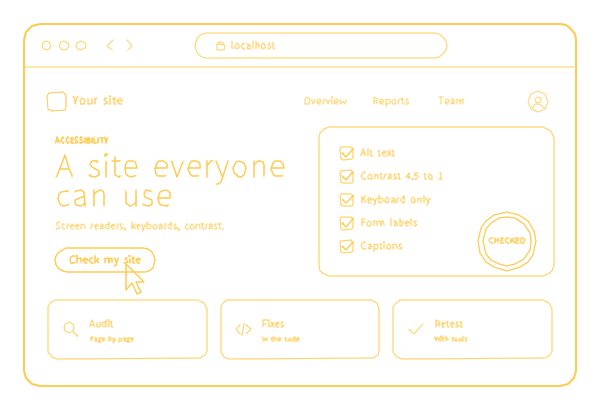
- In the code: a label on every field and button, contrast of at least 4.5 to 1 for normal text, a visible focus, headings and landmarks in order.
- In the content: alt text on every meaningful picture, captions on videos, documents people download made readable.
- An accessibility statement that names the standard you aim for, plus a way for a visitor to report a barrier.
- Checks before every release, so a new page or a new banner does not bring the old problems back.
Website accessibility compliance services are only as good as that hand pass, so ask any provider who does it and with what.
How it goes
The work runs in six steps, and you approve every visible change.
- You send the address. We reply with what an audit would cover and a rough estimate, free.
- The audit. Tools first, then the hand checks of your main tasks. You get each barrier: where it is, whom it stops and how it will be fixed, the most blocking first.
- The fixes in the code and the content. A darker button color or a rewritten link goes live only after you approve it.
- A retest with the same tools and the same hand checks.
- The statement and the way to report a barrier go live.
- Checks before every release keep the site where the audit left it.
Your part: access to the site's admin and code, or the contact of whoever holds them; one person who answers our questions; and your lawyer's reading of the statement before it is published.
What the price depends on
The price is estimated before work starts, after we have seen the site. Five things move it:
- Page types and tasks. Twenty service pages built from one template share most of their fixes; a booking flow, a checkout and a members' area each need their own pass.
- Content to fix: pictures without descriptions, videos without captions, documents to remake.
- Access to the code. On a site whose code we can change, the fixes are ours. On a builder that locks its code, the audit still shows what fails, but some fixes are up to the platform.
- Parts made by other companies, such as a booking widget, a chat or a payment form. We test them and list their barriers; changing them is up to their vendor.
- Checks before every release after the fixes, if you want them.
Every price we publish is on the pricing page.
Our work
Accessibility is part of how we build, not a layer added at the end. In October 2026 I ran Lighthouse's accessibility check, phone setting, on three of our compliance pages, this one included: each scored 100. Our written standard for every site we build requires a description on every picture.
Build Wise Investments, a 63-page site for a South Florida general contractor, scores 100 in all four Lighthouse categories on a phone, accessibility included, and 100 in accessibility on a desktop (PageSpeed Insights, 5 October 2026).
A 100 is where an audit starts, not where it ends. The Justice Department's guidance says a "clean" report from an automated checker does not necessarily mean everything is accessible, and that pairing it with a manual check gives a better sense of a site. That is why the hand checks are the core of the work, and why a score alone is never what we hand over.
Check your own site in ten minutes
These eight checks need nothing but a browser, and most of them catch what an automated score misses.
| Check | How | What a problem looks like |
|---|---|---|
| Keyboard only | Put the mouse away and press Tab through your home page and your main form | You cannot reach a menu, a button or a field, you lose track of where you are, or something opens and will not close |
| Zoom | Set the browser to 200% | Text is cut off or overlaps, or a button disappears |
| Form errors | Send your contact form empty | The error is only a red border, or does not say which field |
| Picture descriptions | PageSpeed Insights, Accessibility section | Pictures listed without alt text |
| Contrast | The same report | Pale grey text on white; normal text needs 4.5 to 1 |
| Captions | Play your main video with the sound off | No captions |
| Documents | Open your most downloaded PDF and try to select a line | It is a scanned picture, not text |
| A way to report | Look for an accessibility statement | Nobody can tell you about a barrier |
In October 2026 I ran Lighthouse's accessibility check, phone setting, on the five company pages Google showed among its first ten results for "ADA website compliance services". They scored 90, 92, 92, 97 and 97; none reached 100. Two have text with too little contrast, two have links without a name and two have headings out of order. Five pages are a small sample, and a machine sees only part of the problem, so take it as a reason to run the checks above, not as a verdict on anyone.
When this is not for you
- You want a widget so the problem looks solved. We do not sell one.
- You need a legal opinion or an answer to a demand letter. That is your lawyer's work; ours is the technical record and the fixes.
- The site is due for a rebuild anyway. Fixing an old site and then replacing it means paying twice. Have the new design reviewed before it is built, or start with a wider review of the site you have.
- You need a small business site with the basics. Our $499 website gives every picture a description, but it is not an accessibility audit and comes with no ADA promise.
Next to this service
ADA work is one part of our compliance services; if you are not sure which rules apply to you at all, start with compliance consulting. For a site we host, website maintenance keeps it running, and the checks before every release keep it accessible.
Send us your site's address, and we reply with what an audit would cover and a rough estimate, free. A new request gets an answer within 30 minutes on weekdays, 9 am to 6 pm Miami time. On Clutch we have 5.0 from 26 verified reviews as of September 2026, and not one negative review.
