The article
Your move to the cloud probably has a date you did not choose: the hosting contract ends, the server's warranty runs out, or the one person who knew the old setup is leaving. Whichever cloud migration company you hire, the copying itself is rarely what goes wrong. What goes wrong is the hour of the switch and the week after it: a nightly job nobody listed stops running, the app still writes files to a disk that no longer exists, or the first cloud bill surprises everyone.
I have been building software for 18 years, and at 26 Lines of Code a move is one project for DevOps engineers and developers together, so the code that has to change changes in the same plan. Below: what moves, the five steps of a move, what your visitors see during the switch, a switch-day checklist that works with any provider, and how the price is set.
Cloud migration with us, in short
| What | How it works |
|---|---|
| What moves | Servers, databases, app backends, files, scheduled jobs and queues, or a whole setup from one cloud to another |
| Where to | AWS, Azure or Google Cloud |
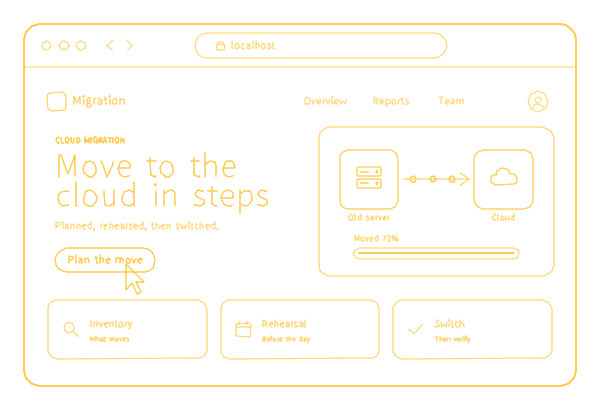
| How | Inventory, plan, a rehearsal on a copy, the switch, then a watch on the new setup |
| Who | DevOps engineers for the infrastructure, developers for the code |
| Price | A project price, fixed in the contract before work starts; the first look is free |
| After the move | We run the new setup for you, or hand it to your team with everything written down |
Who this fits, and when you need something else
A migration project fits when your system has servers, a database and code of its own and has to move by a date: from an office server or a data center to the cloud, or from one cloud to another. Big systems with many services, roles and integrations move in stages, each rehearsed on a copy first, with the documentation written as we go.
You need something else when:
- All you have is a company website. The sites we build run on our servers, with hosting included in support at $29 a month, billed annually ($348). A site built elsewhere is moved as part of outsourced hosting; only larger systems need a migration project.
- Your servers should stay where they are, but someone has to keep them updated and fixed. That is server maintenance.
- You have a DevOps team and need one more pair of hands. Our engineers can join it; more on that below.
What moves
- Servers in your office or a data center.
- Databases, with the data checked after the move.
- Backends of web and mobile apps.
- Files, media and documents in storage.
- Scheduled jobs, queues and background workers: the easiest part to forget, because nobody sees them until they stop.
- Whole setups, from one cloud provider to another: AWS to Azure, Azure to Google Cloud or any other direction.
How the move goes: five steps with a way back
Here is what happens at each step, and what your part is.
- Inventory. We write down what runs where, what depends on what and what must not stop. You give access and name the people who know the system, including whoever knows its odd corners.
- Plan. The target cloud and its services, the order of the move and a way back if a step fails. You approve it, and the price is fixed in the contract before the work starts.
- Rehearsal. A copy moves first, so problems show up on the copy instead of in production, and we learn how long the real switch takes. Your team can try the copy the way they use the system every day.
- Switch. The live system moves at the hour that costs your business least. You choose that hour and keep someone reachable while it happens.
- After. We watch the new setup, tune what it costs and fix what the move uncovered.
The rehearsal is the step people are tempted to skip, and the one I would never skip. It turns the switch from a guess into a procedure that has already worked once.
A cloud migration company that works on the code too
A move to the cloud often means changes in the app itself, and four of them deserve a line in any plan:
- File storage. An app that saves uploads to its server's disk has to save them to cloud storage instead, or the files disappear the first time a server is replaced.
- Settings. Addresses, passwords and keys written into the code move into the new setup's settings and a secrets vault.
- Sign-in. Sessions kept in one server's memory break when two servers share the load, so they move to a shared store.
- Background jobs. Tasks scheduled on the old server have to run once in the new setup, not once on every copy of the server.
Our developers make these changes while our DevOps engineers move the infrastructure, so you need no second vendor for the code. It is the kind of work they do every day: for Raina Music, which streams DJ-curated music to hotels and restaurants, we reworked the streaming backend so playback stays smooth for many venues at once, with the players connected to it over a two-way live link.
The hour of the switch: what your visitors see
In October 2026 I read the cloud migration pages of five companies Google showed me for this search. All five promise to keep downtime low. None says what a visitor sees during the switch; two describe a way back if the switch fails, one offers a trial run as an option, and none names a price. Five pages are a small sample, so use this as a list of questions, not as a statistic.
The visitor matters more than it seems. While the old server stops and the new one starts, anyone who opens your site gets whatever the network edge shows: a generic error page from your CDN, such as Cloudflare's 522, or a bare 502. To a customer, that reads as if the business has vanished, while a holding page that says you will be back shortly, with a phone number, keeps the visit.
Our own site works this way: when the application behind it does not answer, the edge server returns our own page for 502, 503 and 504 errors, rebuilt from the live content on every release. Ask any cloud migration services provider what your visitors will see during the switch, and ask to see it before the day.
Switch-day checklist
Forward this to whoever plans your move, whether that is us or another cloud migration services company. Every line should have an owner and a "yes" before the switch starts.
| Check | Why it matters |
|---|---|
| Every server, database, job, queue and integration is on the inventory, each with a person who knows it | What is missing from the list is missing after the move |
| A copy has been moved, used and timed | The rehearsal tells you how long the real switch takes |
| The way back is written down, and the old system stays ready until the new one is checked | A failed step becomes a delay, not an outage |
| The switch hour is the one that costs your business least | A quiet hour limits the damage of any surprise |
| DNS changes are prepared, with short cache times set a day or two ahead | Visitors reach the new address within minutes, not hours |
| A holding page replaces raw errors while the servers change | Visitors see a message and a phone number, not a dead page |
| Passwords and keys are moved into the new setup's vault, not pasted into a chat | Secrets do not end up in message history |
| Monitoring and alerts work on the new setup before traffic arrives | You hear about a problem from an alert, not from a client |
| Backups of the new setup run from the first day | The new system is protected from its first hour |
| The data is checked after the move: record counts, the latest orders, uploaded files | A silent loss is found the same day, not next month |
| One named person decides "go on" or "go back" | Nobody argues during the switch |
| The old system's off date is set, and its final copy is kept | You stop paying twice, and its history is not lost |
What the price depends on
A migration is priced as a project, with the price fixed in the contract before work starts. On the agreed scope, the total cannot go above that price, so most of the risk of underestimating it is ours; anything new is estimated and approved by you before we build it. The number itself depends on:
- How many servers, databases and services move, and in how many stages.
- How much data there is, and how much of it changes while the move runs.
- How much of the code has to change.
- How much has to stay up during the move, and at what hours.
- Which rules your data falls under. If it is health, payment or personal data, ask your compliance advisor whether the regions and services in the plan suit it before you sign the plan.
The first look is free, and the price comes after it, never before. After the move, the cloud provider bills you directly, in your own account; how we price running the new setup is on managed cloud pricing.
Outsource cloud migration services, or put DevOps engineers in your team
There are three ways to work with us on a move:
- Outsource. We run the whole migration: inventory, plan, rehearsal, switch and the support after it. You approve the plan and the switch hour.
- Outstaff. Our DevOps engineers join your team and move the system with your people, in your process, through staff augmentation, from $35 an hour depending on the role.
- Migration and management. Once the system runs in the cloud, we take over its updates, monitoring, backups and costs as managed cloud.
If you are unsure which model fits your team, outsource or outstaff compares them in ten minutes. Whichever you choose, judge a partner for cloud migration services by its rehearsal and its way back, not by a promise of zero downtime. A provider that cannot show you its way back has not planned one, and any company you consider should be able to answer every line of the checklist above.
After the move
The time right after the switch is part of the project: we watch the new setup, tune what it costs and fix what the move uncovered. Then you decide whether we keep running it or hand it to your team with everything written down: what runs where, how it is configured and who has access.
Two things are worth setting up from the first day. Cloud backup keeps copies in a separate account and restores them in tests, and if a day offline would hurt, disaster recovery keeps a way back in another region. A move is also a good moment to tighten who can reach what, which is the job of cloud security.
Everything stays yours: the account and the bill are in your name, the configuration is kept with the code, and the list of who has access is written down, so anyone who leaves the project leaves a clear list of what to revoke. The rest of our cloud work is on cloud services.
Tell us what has to move: where it runs now, roughly how big it is and the date you are working against. We study the servers and the code first, then put a plan and a price on it. We answer new requests within 30 minutes on weekdays, 9:00-18:00 Miami time.
