The article
A backup is a promise you can check only one way: by restoring it. Until someone does, nobody knows whether the copy holds this morning's orders, whether the uploaded files came along, or whether the way back takes an hour or a week.
At 26 Lines of Code we work as a cloud backup company inside a software company. Our DevOps engineers copy your databases, files and servers to a separate cloud account, and our developers, who know where an app keeps its data, make sure nothing is left out. Below: what to copy, where the copies should live, how often and for how long, the red flags that say your backups would fail you, and how the price is set.
Cloud backup with us, in short
| What | How it works |
|---|---|
| What we copy | Databases and uploaded files, server images and settings, the configuration of the whole setup |
| Where the copies live | A separate cloud account, in a different region from the system |
| How often | As often as your data changes, on a schedule set with you |
| How long | Older versions kept, so a bad change can be undone |
| Proof | Restores on purpose, with the data checked, long before you need them |
| When a backup fails | An alert to an engineer |
| Price | An individual estimate; the rough estimate is free once we see your setup |
A backup counts once it has been restored
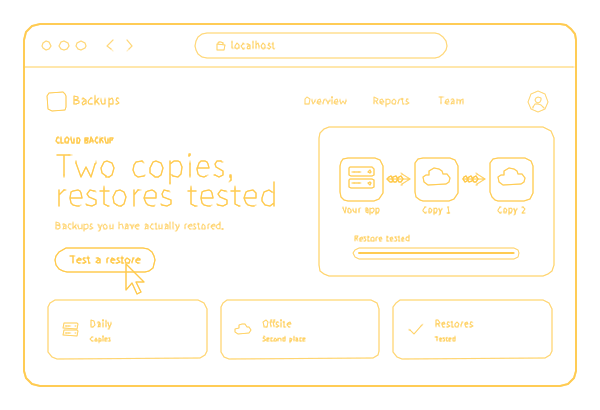
Copies that were never restored are a hope, not a backup. In October 2026 I read five backup pages Google shows for this search. All five talk about encryption. None says when or how the copies are restored in a test, none mentions keeping them in a separate account, and only one names a price, for storage by the terabyte. Five pages are a small sample, but the restore test is the first thing I would ask any provider about.
A restore test answers four questions before a bad day does:
- Does the copy open at all?
- Is it complete: the database, the uploaded files and the settings, not just one of them?
- Is it recent enough, or how much would you have to retype?
- How long did the way back take, from the decision to a working system?
We restore copies on purpose, check the data and fix what failed, long before you need them. When a backup job fails, an engineer gets an alert, not just a line in a log.
Choosing a cloud backup company: ask where the data lives
Data lives in more places than the main database: uploads, queues, caches, settings and the services an app talks to. Our developers find all of it before our DevOps engineers decide how to copy it.
Think about what the systems we have worked on keep. In RxPhoto, a clinic's before-and-after photos, forms and notes make up the patient's record. In the Tarot Fans wallet, every balance, top-up and payout has to add up. In Mutualz, orders and loyalty points travel between the app, the restaurant and the backend. Data like this often sits in more than one place, so a copy of the main database alone is rarely all of it.
So the first question for any provider, us included, is not "how often?" but "what exactly will you copy?" Our answer covers:
- Databases and the files your users upload.
- Server images and settings, so a server can be rebuilt.
- The configuration of the whole setup, kept with the code.
- Older versions, so a bad change can be undone.
How often, and for how long
Back up as often as the data changes. A store that takes orders all day needs copies far more often than a site whose pages change once a month, and we set the schedule with you.
How long to keep the copies is the question people forget. Keep them longer than it would take you to notice a problem: if a bug quietly damages records for two weeks before anyone sees it, copies kept for one week are all damaged too. Whether rules set a minimum or a maximum for your data is a question for your compliance advisor, and we set the retention to the answer. The rest of the rules side of a cloud setup is under cloud compliance.
Where the copies live
In a separate cloud account, in a different region from the system itself. The point is that one failure or one break-in cannot hit both: if whoever gets into your main account can also delete the copies, you have one copy, not two. Access to the copies is kept apart from the main account, so the password that runs your system cannot erase its backups.
Servers in your office or a data center can send their copies to the cloud too, and their upkeep is server maintenance.
Red flags: signs your backups would fail you
Forward this table to whoever looks after your systems. Each row takes minutes to check.
| Red flag | Why it hurts | How to check |
|---|---|---|
| Nobody can name the date of the last restore test | A copy never restored is a hope | Ask for the date, what was restored and how long it took |
| The copies sit in the same account as the system | One break-in or one mistake takes both | Ask where the copies are and who can delete them |
| Only the database is copied | Uploaded files, settings and keys are gone after a restore | List what the app keeps outside its database |
| A failed backup alerts nobody | A job can stop for weeks before anyone looks | Ask who received the last failure alert |
| Copies are kept for a few days only | A slow problem outlives every copy | Compare how long copies are kept with how fast you would notice damage |
| Server settings are not copied | A server rebuilt from memory is slow and never quite the same | Ask how a server would be rebuilt from scratch |
| The way back lives in one person's head | That person is away the day you need it | Ask for the written steps |
With us, the first six rows are part of the setup from the start. Written steps for bringing the whole system back, in the order its parts have to start, belong to disaster recovery.
What the price depends on
The price follows three numbers: how much data there is, how often it changes and how long copies are kept. Add how many systems and servers are covered and how often you want restore tests, and the estimate is complete. As in the rest of our cloud work, the cloud provider's bill and our fee for the work are separate, as described in managed cloud pricing. The rough estimate is free once we see your setup.
Backup, recovery and security work together
A backup is a copy of the data; recovery is the whole way back, and both need protection. Keeping the copies out of reach of anyone who breaks into the main account is part of cloud security. If you would rather have backups as one part of running your cloud, with updates, monitoring and costs, that is managed cloud. The rest of our cloud work is on cloud services.
Tell us what you cannot lose: we find where that data lives and propose how to copy it and bring it back. We answer new requests within 30 minutes on weekdays, 9:00-18:00 Miami time.
