The article
Picture two ordinary mornings at a company of twelve people. On the first, the office manager's email password, the same one she used on a shopping site that leaked, lets a stranger into her mailbox, and from there into every account whose password resets arrive in it. On the second, a familiar supplier emails an invoice with new bank details, and the bookkeeper pays it. Neither took a skilled hacker. Both are what cybersecurity solutions for small business are for, and most of those solutions are habits, not products.
I have spent 18 years in software development, and 26 Lines of Code has 70+ specialists who build, test and look after software. Below are the six basics I would put in place first, what five popular guides leave out, a ten-question self-check you can forward to whoever runs your office, and what we do when you would rather not keep all of it up yourself.
Cybersecurity solutions for small business: the six basics
These six stop most of the attacks a small company meets. None of them needs a security team; all of them need someone to keep them working.
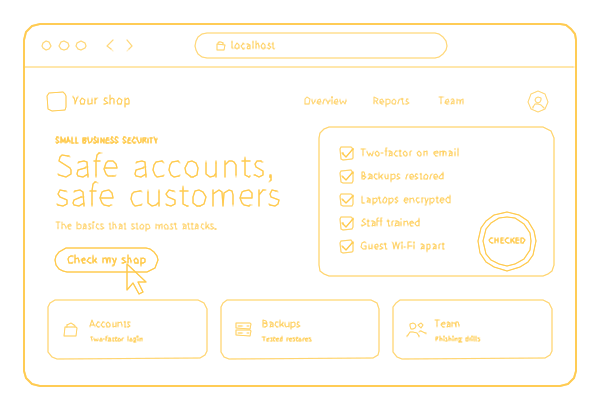
| The basic | What it stops | How to check yours today |
|---|---|---|
| Two-factor sign-in on email, banking and every admin account | A stolen or reused password opening the account on its own | Sign in from a private browser window: a code or a prompt on your phone should be asked for |
| Backups kept apart and restored in tests | A deleted folder or encrypted files turning into a ransom note | Ask when someone last restored a file from the backup |
| Laptops and phones updated and encrypted | Holes attackers already know, and a lost laptop that opens for anyone | Check one laptop's update settings and disk encryption |
| Email filtered for phishing and fake senders | Fake messages reaching people who are busy enough to click | Ask your email admin what the filter caught last month |
| A password manager for the whole team | Reused passwords, and logins kept in a shared spreadsheet | Count who actually uses it |
| A one-page plan for a bad day | Panic, wiped evidence and lost hours | Ask three people where the plan is |
The order matters less than the upkeep. A basic that was set up once and then forgotten fails without telling anyone: a new laptop skips encryption, a new employee never turns on two-factor sign-in, a backup job stops running and nobody looks. And phones count: if work email lives on personal phones, those phones need a screen lock and updates too.
What five popular guides leave out
Before writing this, I read the five guides Google showed me first for this search in October 2026: three from software vendors, one from a business association and one from a mentoring nonprofit. They agree on the core. Four of the five tell you to turn on two-factor sign-in, four to keep backups, and all five to train your people. Three also quote what breaches cost or what share of attacks hit small companies.
What they leave out is more useful. Only one says to test that a backup actually restores, and only one says to close a departing employee's accounts. None of the five mentions the email records that stop strangers sending mail in your name, a fake invoice with new bank details, or the domain your email and website depend on. None names a price for any of it.
Five guides are a small sample, but those gaps match the two mornings above. The next four sections are about them, and you will find no breach statistics in any of them: you already know why you are reading this.
Fake senders and fake invoices
Two of the gaps are about your name and your money, and both cost little to close.
Mail in your name. Three records in your domain's settings, called SPF, DKIM and DMARC, tell other mail servers which servers may send mail for your domain and what to do with mail that fails the check. Without them, it is much easier for a stranger to email your clients from what looks like your address. Ask whoever runs your email whether DMARC is set; if nobody knows, it probably is not.
New bank details. Agree on one rule today: any change of a supplier's or a client's bank details is confirmed by a phone call to a number you already have, never to the number in the email. It costs nothing, and no filter does it for you. The filter catches many fake messages; the rule catches the one that gets through.
Your domain and your website
Whoever controls your domain controls your email and your website. Make sure the domain is registered in the company's name, that the registrar account has two-factor sign-in, and that someone watches the renewal date. A domain that lapses takes the site and the email down on the same day, and after the grace period someone else can register it.
Your website has its own front door: the admin. Every person who can change the site should have their own login with two-factor sign-in, and the site's software needs updates like a laptop does.
If we built your website, the domain is registered and paid for by you, so it is in your name from day one. While support runs, at $29 a month, billed annually ($348), we watch your uptime and your domain's renewal date and tell you when something needs attention, and the site's https, updates and backups are on our side. The full terms are on website maintenance.
People who leave, and accounts that stay
A departing employee's access should close on their last day, not when someone remembers. A list of every account each person has turns it into a short job instead of a search. On the day someone leaves, go through it:
- Email. Close the account, or hand the mailbox to a manager, and remove any rule that forwards mail elsewhere.
- Files. Shared drives, and the links they shared with personal addresses.
- Admins. The website, social media pages and any tool where they could change settings.
- Money. The bank portal, company cards and payment apps.
- The password manager. Their place in it, and every shared password they could see changed.
- Devices. Laptops and phones returned, and work accounts removed from personal ones.
A shared "admin" login is worse than it looks: it is an account nobody can remove, because everybody uses it. Give every person their own account, so access leaves with the person and the logs show who did what.
Backups you have restored
A backup that has never been restored is a guess. Restore one folder this week: if it comes back, you know the copies work; if it does not, you found out on a quiet day instead of a bad one.
Keep at least one copy out of reach of your everyday accounts. If ransomware or a stolen admin password can reach the backups, it can delete them along with everything else. For data that lives in the cloud, our cloud backup keeps the copies in a separate account and another region, and we restore them on purpose to check that they work.
What goes on the one-page plan
The plan is for the first hour of a bad day, when nobody thinks clearly. One page is enough if it answers six questions:
- Who do we call first? Inside the company, and outside: whoever handles your security, and your bank if money moved.
- What do we do with the affected computer? Disconnect it from the network; do not wipe or restart it, because that destroys the evidence.
- Where are the backups, and who can restore them?
- Who changes the passwords, and from which device? Never from the computer that may be infected.
- Who speaks to clients, and what may they say before the facts are known?
- Where is this page kept? On paper too: on a bad day, the network may be the thing that is down.
Managed cybersecurity services for small business
Setting the basics up is the easy part. A year later, new people, new laptops and new apps have arrived, and the protection has to cover them too.
That is what managed cybersecurity services for small business are for: we watch the alerts, apply the updates, check the backups and add and remove your people, so the protection still works a year from now. You do not need a full-time security person for it; you get a named contact for questions and emergencies.
For a company with servers and cloud accounts to watch, the larger version is managed security. If you also want someone to look after the software your business runs on, the website, the apps and the servers, that is IT support for small business.
Cybersecurity testing services for small business
Once the basics are in, check them the way an attacker would. Our test looks at your website, your accounts and your network, and ends with a short list of fixes in order of what matters. For a small company that means:
- the website's sign-in, forms and admin pages;
- the email and cloud accounts, and how they are set up;
- what your office network shows to the internet;
- if you want it, a phishing test for your team.
After the fixes, made by your team or by ours, we test again to confirm they hold. Whoever built your website or your app, we can test it. A test once a year and after big changes catches what the self-check below cannot see; the details are on cyber security testing services.
A ten-question self-check
Forward this to whoever runs your office. A "no" is not a disaster; it is the next thing to fix.
| Question | A yes means | If no, start here |
|---|---|---|
| Does every email account ask for a second step on a new device? | A stolen password alone does not open the mailbox | Two-factor sign-in, email first |
| Do the bank portal, the domain registrar and the website admin ask for it too? | The accounts that move money and own your name are covered | The same, one account at a time |
| Has anyone restored a file from the backup in the last three months? | You know the backup works | Restore one folder this week |
| Is one backup copy out of reach of your everyday admin accounts? | Ransomware cannot delete the copies | A separate account or an offline copy |
| Do all laptops update on their own and encrypt the disk? | Known holes close, and a lost laptop stays locked | The settings of each laptop |
| Does everyone use the password manager every day? | No reused passwords and no spreadsheet of logins | Move the shared logins first |
| Is DMARC set for your domain? | Mail faked in your name is rejected or flagged | Ask whoever runs your email |
| Is the domain registered to the company, with its renewal date watched? | Your email and website cannot lapse or be held by someone else | The registrar account |
| Were all accounts of the last person who left closed on their last day? | Former staff cannot get back in | A leaver's checklist |
| Does everyone know where the one-page plan is? | A bad day starts with a phone call, not with panic | Write it: who to call, what to unplug, what not to touch |
Eight or more yes answers: you need a yearly check, not a rescue. Five to seven: a short assessment will show what to fix first. Fewer than five: start with the first two rows this week.
Where to start, and what it costs
Start with a short assessment of your accounts, devices and backups. You get a list of fixes in order of importance, and you decide which ones your team makes and which ones we do.
The price depends on how many people, devices and accounts there are and how much we keep up each month. It is estimated before work starts, and the first call and the rough estimate are free. Tell us how many people and devices you have, and we reply with what we would set up first; on weekdays, 9:00-18:00 Miami time, a new request gets an answer within 30 minutes.
When you do not need us
- You are a few people and the self-check is mostly yes. Someone already owns keeping it that way: repeat the check twice a year and keep your money.
- You already pay an IT company that does all six basics. Ask it for the self-check answers in writing instead of hiring a second one.
- Something is happening right now. Skip the assessment and go straight to incident response.
Everything else we do in security, from audits to monitoring, is on the cybersecurity page.
