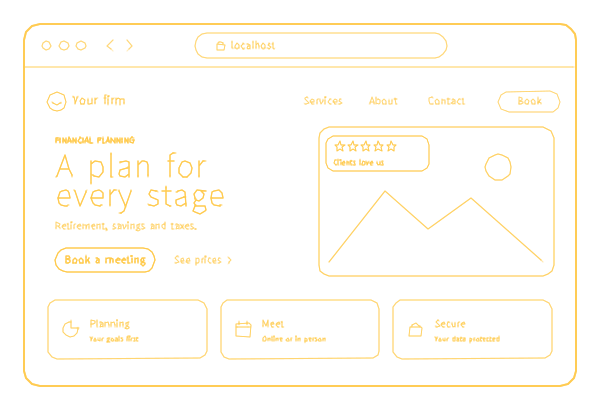
The article
Nobody moves their retirement savings to an advisor because the website looks expensive. They move it because, by the last page, they understand who you are, how you are paid, what working together looks like and where to confirm that you are registered. An advisor's site is read slowly, sometimes by a couple at the kitchen table, and checked twice. Financial website design has to be built for that kind of reading.
I have built software for 18 years, and the team I started in 2017 now has 70+ specialists and 150+ delivered projects. Financial advising is one of the professions we design websites for. This page is for independent advisors, planning practices and small wealth managers: what a future client looks for, the pages and features worth building, the questions that belong with your compliance officer rather than your web designer, and what each part of financial advisor website design costs with us.
What a future client checks before booking a call
- Whether you serve people like them. Retirees and pre-retirees, physicians, business owners selling a company, people going through a divorce, parents of a child with special needs. Naming your clients brings the right calls and quietly filters out the rest.
- What you actually do. Planning, investment management or both; tax and estate coordination; what the relationship includes each year.
- How you are paid. A flat planning fee, a percentage of assets, hourly advice, commissions: in plain words, with your minimums. Expect visitors to reread this page before they call.
- Who they will work with. The advisor's story, credentials and photo, and the rest of the team.
- Who holds the money. If client assets sit at a custodian, name it. It answers "who can touch my savings" before anyone asks.
- What happens next. The introductory call, what to prepare and how long it takes to get a plan.
The pages an advisory site needs
- Home: who you serve, the problem you solve for them, how you are paid and the first step.
- Services: a page each for planning, investment management, retirement income and anything else you sell separately.
- Who we serve: a page per client group you genuinely specialize in.
- Fees: the schedule or how the fee is set, the minimums and what the fee covers.
- Process: from the first call to the plan, and the reviews after it.
- Team: bios, credentials and where to verify registrations.
- Insights: articles, if someone will write them and your compliance officer will review them.
- Disclosures and privacy: readable text, linked from the footer of every page.
- Client login: a link to the portal your clients already use.
- Contact: the office, the phone and a way to book the first call.
Ten kinds of pages, and most practices fit them into the 20 pages of our $499 website with room to spare.
Financial institution website design starts from a different first screen: for a bank, a credit union or a lender, it is the online banking login, current rates, branches and ATMs, the routing number, and a fraud notice that says what you will never ask a customer for by phone or text. Online banking itself usually runs on a platform from your banking software vendor, so the public site links to it rather than rebuilding it.
Disclosures, fees and the rules you work under
This is where website design for financial services differs from most small business projects, and where I will not pretend to be your lawyer. Advisers, brokers and insurance-licensed planners can answer to different regulators, so take these questions to your compliance officer before anything goes live:
- Must your Form ADV brochure, Form CRS or other documents be posted or linked on the site, and where?
- May client reviews, testimonials or ratings appear, and with what disclosures?
- Do performance figures, charts or a calculator's assumptions need review or a disclaimer?
- Must the site, the articles and the social posts be archived, and how?
- Should the site say where a visitor can verify your registration?
On our side, the job is to place the approved wording exactly as written: as real text, not as an image, in the footer of every page or next to the content it covers. Text can be searched, read aloud by a screen reader and changed in the admin the day your compliance officer revises it. If your process needs a review step before anything is published, we price that feature before work starts.
Booking, client login and calculators
- Introductory calls. Online booking adds $500, and the visitor picks a slot instead of trading emails. On Somatic Reset, a custom booking site we built, the owner sets weekly hours, exceptions, buffers between sessions, minimum notice and how far ahead clients can book.
- Paid plans. If you sell a one-time plan for a flat fee, payments on the site add $500.
- Client login. A button to the portal of your custodian or your planning software. A portal of your own, with accounts, documents and dashboards, is a web application whose first version starts at $5,000.
- Calculators. A retirement or fee calculator is a feature priced before work starts; its assumptions belong in the compliance review above.
- The first form. A name, a way to reach the person, what they need help with and a good time to talk. Never account numbers or statements: those belong in the secure portal.
How people find an advisor
A referral from a friend, an accountant or a lawyer often ends in a search for your name. Other people search by need and place: "fee-only financial planner Orlando", "retirement planner near me", "financial advisor for physicians". The site has to work for both.
- Your name. The bio page carries your full name as it appears in your registration, so it comes up when someone searches it.
- Verification. Careful clients check registrations on FINRA BrokerCheck or the SEC's Investment Adviser Public Disclosure site. Make the match easy: the same personal and firm names as in those records.
- Local. Your Google Business Profile shows the same name, address, phone and hours as the site. Ask your compliance officer before you ask clients for Google reviews.
- Specialization pages. One per client group, with what you do for that group specifically.
Trust signals that hold up
- Credentials and registrations written exactly as in the official records.
- The advisor's real photo and a real office address.
- Fees and minimums in plain language.
- Where client assets are held.
- How fast you reply, and who replies.
- A secure path for documents, and forms that ask for nothing sensitive.
- Pages that open fast on an old phone and work with a screen reader. If accessibility is a legal question for your firm, ask your lawyer which standard applies; auditing and fixing the site against it is our ADA website compliance service.
Mistakes I see in financial website design
For this page I measured the four agency pages among Google's first 20 results for "financial website design" in October 2026; the rest were galleries, template stores, Pinterest and a 2018 blog post. All four talk about trust and about calculators or other interactive tools. None mentions BrokerCheck, Form ADV, FINRA or the SEC, and none names its own price for financial web design. Two of the four send all of their 64 pictures in one size to every screen, so a phone downloads the same file as a wide monitor.
On advisors' own sites the same mistakes come back:
- Sailboats, beaches and handshakes in place of the advisor.
- "Holistic wealth solutions" instead of who you serve and what you do.
- Fees hidden behind "let's talk".
- Disclosures as an image, or a PDF nobody can find.
- Fee or service wording on the site that differs from your filed documents.
- An introductory form that asks for account numbers.
- A client login button that still leads to an old portal.
Check your site this week
| What | Why it matters | How to check |
|---|---|---|
| Fees in plain words | It is the page visitors reread before they call | Reach your fees page from the home page in one tap |
| Minimums | A stated minimum saves both sides a meeting that goes nowhere | Look for the number, or "no minimum", on the fees page |
| Your registered name | Careful clients compare the site with official records | Search your name on BrokerCheck or the SEC's adviser search; compare spelling, firm and city |
| Disclosures as text | Text can be searched and read aloud; an image cannot | Try to select a line of the disclosure with your mouse |
| The first form | Account numbers do not belong in a form email | Read every field and the note above the button |
| Client login | Existing clients use this button more than anyone | Tap it on a phone and see where it lands |
| Site against filings | Wording that differs from your filed documents is a compliance question | Read the services and fees pages with your compliance officer |
| Domain and analytics | They should belong to the practice, not to a vendor | Check the registrant in your registrar account and your role under Admin in Google Analytics |
Which package fits
- Solo advisors and small practices: the $499 website. Up to 20 pages, your own admin, basic SEO, analytics and https; a first version is ready 5 business days after you pay and send the materials. The full terms are in that article.
- Booking introductory calls: plus $500. Payment for a flat-fee plan: plus $500.
- A review step before publishing, calculators, a second language: priced before work starts.
- A look no other practice has: a custom website, hourly or by milestones after an estimate.
- Banks, credit unions and lenders with account features: a web application, starting at $5,000. The compliance processes behind it are a separate service, financial compliance.
From launch, $29 a month, billed annually ($348), pays for hosting, fixes to our work, content edits, backups and updates, and for someone to notice downtime or a domain about to lapse. On this plan we answer within 3 business days. More on website maintenance.
Custody, applied to your website
You explain custody to clients all the time: the assets are in the client's name, and you manage them. A website should work the same way. With us, the domain is registered and paid for by your firm. The code and the design made for your site belong to you once paid and delivered, and you get an archive you can move to another host. Your analytics and Search Console are set up in the firm's Google account; if you have none yet, we create them with full access for you and transfer them the day you ask.
On Clutch, 26 verified reviews give us 5.0, as of September 2026. We sign an NDA before you share anything about your clients. Start with a short description of who you serve and how you are paid: the first call and a rough estimate are free, and every published price is on our pricing page. If you also write policies or prepare returns, see our pages for insurance agencies and accounting firms.
