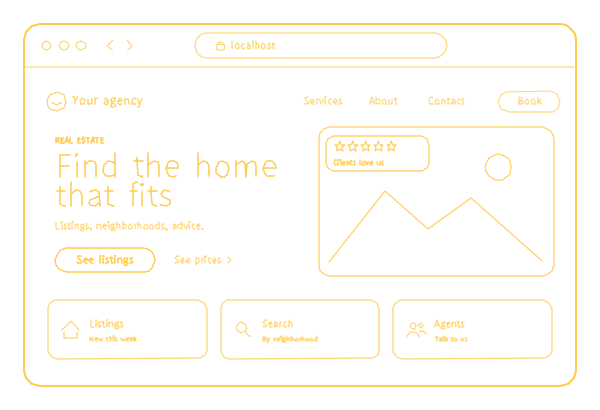
The article
Buyers browse listings on the big portals, and an agent's own site will not beat them at "homes for sale". It does not need to. People open your site with a reason: a friend gave them your name, they saw your sign or met you at an open house. Now they check two things - whether you know their part of town and whether you are worth a call. A real estate website wins or loses in those two minutes, and that is where real estate website development should start.
I have built software for 18 years and run a team of 70+ specialists that has delivered 150+ projects since 2017. Below is my plan for the site of an agent, a small team or a single development - who reads it, the pages it needs, where the listings come from, how people find an agent and which of our packages fits. What the $499 site includes, and on what terms, is laid out in a separate article. Our other packages are compared on the website development page, and the other industries we design for have pages like this one.
Who opens an agent's site, and what each one checks
- A seller wants to know whether you sell homes like theirs, where they are: your recent sales, how you would market the home, reviews from other sellers and a way to ask what the home is worth.
- A buyer wants to know whether you know the neighborhoods and the buildings, and how soon you can get them into a showing.
- A referral types your name into Google before calling: your photo, your brokerage, your years in the business, your reviews.
- A buyer in a new development wants the building itself: floor plans, finishes, the location, the timeline and which residences are still available.
Each of them needs a different page, and the home page should send each one to theirs in a single tap.
The pages a real estate site needs
Up to 20 pages fit in our $499 site:
- Home: your name and face, the areas and property types you work, and two actions: "What is my home worth?" and "Talk to me".
- A page per neighborhood or building: the homes, the streets, the commute, what changed in the last year, the homes you have sold there. Keep it about the place, not about who should live there; your broker can tell you how fair housing rules apply to your wording.
- Sellers: how you price, photograph, stage and market a home, and the steps from listing to closing, with the home value request.
- Buyers: how you work with a buyer from the first showing to the keys.
- Featured properties: your current listings with photos, floor plans and the key facts, and past sales as proof where your broker allows.
- About: your story, your license and brokerage in the form your broker requires.
- The team, if you work as one: each agent with a photo, the areas they cover and a direct contact, so a seller in their area reaches them first.
- Reviews and contacts, plus a privacy policy, because your forms collect personal data.
Every listing, photo and neighborhood text is yours to change in the admin: a home that went under contract this morning can say so by noon. Walkthrough videos stay on YouTube or Vimeo and are shown on your pages from there, so a long tour does not use your hosting.
Listings: your own, or the whole MLS
There are two ways to put homes on your site:
- Featured properties you add yourself. Your own listings, with your photos and your words. This fits the $499 site.
- A search of the whole MLS (IDX). A feed of every listing in your market, with filters and a map, on the terms your MLS and your broker set. It is an integration priced before work starts; add buyer accounts and saved searches, and it becomes a web application, where first versions start at $5,000.
Before paying for IDX, ask whether your visitors will search on your site or in the portal app they already use. For a solo agent, ten well-photographed listings and five honest neighborhood pages often sell you better than a feed that shows the same homes as every other agent's site.
A real estate developer website for a single development is about one building: the residences, floor plans, finishes, amenities and location, an inquiry form, and availability you update as units sell. That fits the $499 site; a calendar for tours of the sales gallery adds $500.
How buyers and sellers find an agent
- By your name. After a referral, people search for you. The first result should be your own page, with your name in its title and the same photo, phone and brokerage as your Google Business Profile and portal profiles.
- By area and role: "condo realtor in Sunny Isles", "Coral Gables listing agent". A page per area with real content answers these; the same text with the town name swapped answers none. For Build Wise Investments, a contractor, we built 38 city pages, each with its own local questions and answers, and the same structure works for neighborhoods.
- By the questions clients ask you every week: how long a condo takes to sell in your building, what the association fees cover, when to list before summer. A short page that answers one of them honestly brings in the people who will ask it next.
- By reviews on Google. Ask every client after closing, while the keys are still new.
- By forwarded listings. A buyer texts a listing to a spouse or a parent. Each property page needs its own preview picture, or the message shows a bare link.
None of this buys a position in Google. It gives Google the right page to show when someone asks.
What makes people trust an agent's site
- Your real photo and your full name, the same as on your license.
- Your brokerage and license details, in the place and form your broker requires.
- Sales with the facts behind them: the building or the street, the date, the outcome. Publish only numbers you can back.
- Reviews from named clients, with their permission.
- Professional photos and a floor plan on every listing.
- The office address if clients visit you, the hours you answer and the languages you speak.
- A reply time you keep. Buyers write to several agents at once, and the first to answer often gets the showing.
Mistakes I see on real estate sites
- Only a brokerage profile page. It belongs to the brokerage; when you move, the page, its reviews and its search history stay behind.
- A registration wall. A phone number demanded before a single photo shows. Ask for contact details when the visitor wants something: a showing or a valuation.
- Stale listings. A home sold three months ago and still "available" tells a buyer nobody is watching.
- Empty neighborhood pages under a heavy search. The listings are the same everywhere; the neighborhoods are the only part that is yours.
- A market report last updated in spring. Old dates tell visitors the site is abandoned. Publish only what you will keep current: a neighborhood page refreshed twice a year beats a blog you stopped writing.
- Full-size galleries: thirty camera-size photos on every property.
In October 2026 I measured five real estate web development pages that Google showed me for that search. One names prices: $1,000 to $10,000 for a basic site, and $31,000 to over $100,000 for one built around a database. Another says most of its sites take four to eight weeks. Of their 1,262 pictures, 28 give the browser a choice of sizes, and one page sends all 795 of its pictures in a single size. One page has no link preview picture; another describes none of its three pictures for screen readers. That is five pages, not the market; the checks below take ten minutes on your own site.
Check your real estate site
| What | Why it matters | How to check |
|---|---|---|
| Your name in Google | A referral checks you before calling | Search your full name on a phone |
| The domain owner | You keep your address when you change brokerages | Your registrar account: is the domain in your name? |
| A neighborhood page | It answers searches the portals do not own | Read one as a newcomer: did you learn something new? |
| The home value request | It is a seller's first step | Send a test request and time your own reply |
| Listing photos on a phone | Photos make up most of a listing's weight | PageSpeed Insights, phone tab: "Properly size images" |
| A preview picture per listing | Listings are forwarded in messengers | Text a listing link to yourself |
| Sold homes marked as sold | Stale listings cost trust | Open your featured properties |
| Broker and license details | Your broker and your state decide what must appear | Ask your broker, then check your footer |
Which real estate website development package fits
- An agent or a small team: the $499 website - profile, neighborhoods, featured properties, sellers and buyers pages, the home value request. Up to 20 pages, shown to you as a working site within 5 business days of your payment and your photos and texts.
- Showings or listing consultations booked online: plus $500.
- Payments on the site: agents rarely need them; if you do, plus $500.
- One development: the $499 website, plus $500 if visitors book tours online.
- An MLS search, several languages, more than 20 neighborhood pages, inquiries routed to the agent of each area: priced before work starts.
- A brokerage where every agent has a page and their own listings, or a portal with buyer accounts: a custom website or a web application.
Keeping the site hosted, backed up and current costs $29 a month, billed annually ($348), from launch. You send changes one list at a time, and each list is done within 3 business days; we also watch your uptime and your domain's renewal date. More on website maintenance.
For an agent, ownership matters more than for most businesses. You register and pay for the domain yourself. At launch you receive an archive: code, files and a data export. Your analytics and Search Console stay in your own Google account, or in ours with full access for you until you take them over. Change brokerages or real estate website developers, and the site, the reviews on it and its search history stay with you.
If you build homes rather than sell them, see construction company websites. Our published prices are collected on the pricing page.
