The article
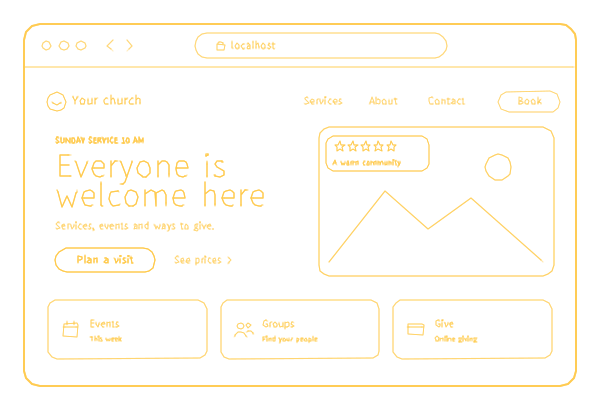
Someone thinking about visiting your church will often look it up first. They want three answers before they decide: when the service starts, where to park and which door to use, and what happens with their kids. Members come back to the same site for other things: this week's events, last Sunday's sermon, the giving page. Church website design that works puts the newcomer's answers on the first screen and keeps what members use one tap away.
I founded 26 Lines of Code and have worked in software development for 18 years. We are 70+ specialists with 150+ projects since 2017, and on Clutch we hold 5.0 from 26 verified reviews, as of September 2026, with not one bad review. Below is how I approach website design for churches, one of the kinds of organizations we build sites for: what a church site needs, who should hold its keys, what giving and sign-ups cost and how to check the site you have. Everything about the $499 package itself, down to the cancellation terms, is in a dedicated article.
What a newcomer needs from the first screen
- Service times for every campus and service, with the language if you worship in more than one.
- The address, a map, parking and the entrance to use.
- What a service is like: how long it lasts, what people wear, whether guests are expected to give.
- What happens with children: where they go, who looks after them and how check-in works.
- A way to ask a question before coming, answered by a named person.
What members come back for
- This week's events and groups, with the date, the place and a way to sign up.
- Sermons: the latest at the top, then series and the archive.
- The Give page.
- Prayer requests and pastoral contact. These messages are personal, so decide who reads them and say so next to the form.
Designing a church website starts with a page plan, and a typical one fits well inside the 20 pages of our $499 site: home, plan your visit, a page per campus, kids and youth, sermons, events, groups, beliefs, staff, give, contact, and a privacy policy, because forms and analytics collect personal data.
Giving, sign-ups and livestreams: what each costs
- Giving. If your church already uses a giving platform, the Give page explains the options and links to it. Taking gifts on your own site needs online payments: plus $500.
- Event sign-ups. A simple form that emails each sign-up to your team works like the contact form. Registration that keeps a list or caps the seats is priced before work starts, and a retreat or a camp that takes a deposit needs online payments.
- Bookings. A time slot with a pastor, or the hall rented by the hour: online booking adds $500.
- Livestream and sermons. Your stream and past services play on the site from YouTube, Vimeo or the platform you already stream to; hosting video files ourselves is not part of the package.
- More than one language. Each page in each language, priced before work starts. BND, a site we built in three languages, went live two days after its first commit, with 108 pages.
- A member directory with logins is priced before work starts. If it grows into groups, schedules and messages, that is no longer church website development but a web application, from $5,000 for a first version.
Who holds the keys
If a volunteer built your site, that was generous, and it carries one risk worth checking today: the domain, the hosting and the passwords may sit in that person's private accounts. When they move on, the church can lose its own address.
With us, the church registers and pays for the domain, so it is in the church's name from day one. Google Analytics and Search Console go into the church's account, or we set them up and hand them over if you leave. Once the site is accepted, the church also gets its own copy of everything: code, files and a data export, ready to move to another host.
How people find a church
- People search for a church near them, a denomination and a town, or your name, and may see your Google Business Profile before your site. Keep its name, address, phone and service times the same as on the site.
- Put Christmas and Easter service times on the home page and in the Google profile a few weeks before the holiday.
- Use real photos of your people and your building, not stock images, on the site and the profile.
Our $499 site includes the basic SEO: titles and descriptions, a sitemap, Search Console, structured data and a link preview for every page.
Where church sites go wrong
In October 2026 I opened five pages from studios and platforms that design church websites, all among the top 20 Google results for "church website design". Of their 166 pictures, 2 are offered in more than one size; only one page uses the browser's own lazy loading; 51 pictures lack a text description, 34 of them on a single page; and one page has no preview picture for shared links. None publishes a price. A small sample, so read it as a prompt to check your own site.
On church sites themselves, check for these:
- Service times three clicks deep, or only in a PDF bulletin.
- Last year's Christmas event still on the home page.
- Insider words a guest cannot decode: building initials, ministry names, a "connect card".
- Photos of an empty sanctuary instead of people.
- Nothing about children's safety, a question parents ask before they bring a child.
- A Give button that leads to an error or to a platform the church left.
Check your church website
| What | Why it matters | How to check |
|---|---|---|
| Service times | The one answer every guest needs | Open the site on a phone: are the times visible without scrolling? |
| Google profile | Two different times send someone to the wrong service | Compare hours, address and phone on the profile and on the site |
| Kids information | Parents decide on it before they come | Find check-in and safety details within two taps of the home page |
| The Give button | A broken link loses a gift and a giver's trust | Tap it on a phone and follow it to the end |
| Events | Past events make the whole site look abandoned | Count the past events on the home page |
| Forms | A prayer request that never arrives is worse than no form | Send a test request and see who receives it |
| The domain | Whoever owns it owns your web address and email | Check the registrant in your registrar account |
What church website design costs with us
- The website: $499, paid upfront, for up to 20 pages, an admin, basic SEO and analytics. A first version is on your screen 5 business days after the payment and your materials, and most sites are live within two weeks.
- Hosting and support: $29 a month, billed annually ($348): hosting, fixes, text and picture changes, backups, and a watch on uptime and domain renewal (website maintenance).
- Online payments or online booking: plus $500 each.
- A design no one else will have: a custom website, by the hour or by milestones after an estimate. The $499 sites use our templates, so layouts can repeat across projects; your name, texts and photos never do.
Planning a church website redesign? Ask for a list of the old page addresses that get visitors, each with the new page it will redirect to; permanent redirects are how BND kept its search rankings when it moved. Bring your service times and a few photos of your people to a first call, which is free. We list our starting prices on one page, and how we build is described under web development.
